Key takeaways
- Sovereign cloud support arrives: You can set a custom Power BI REST API base URL for Azure Government and the Germany and China clouds.
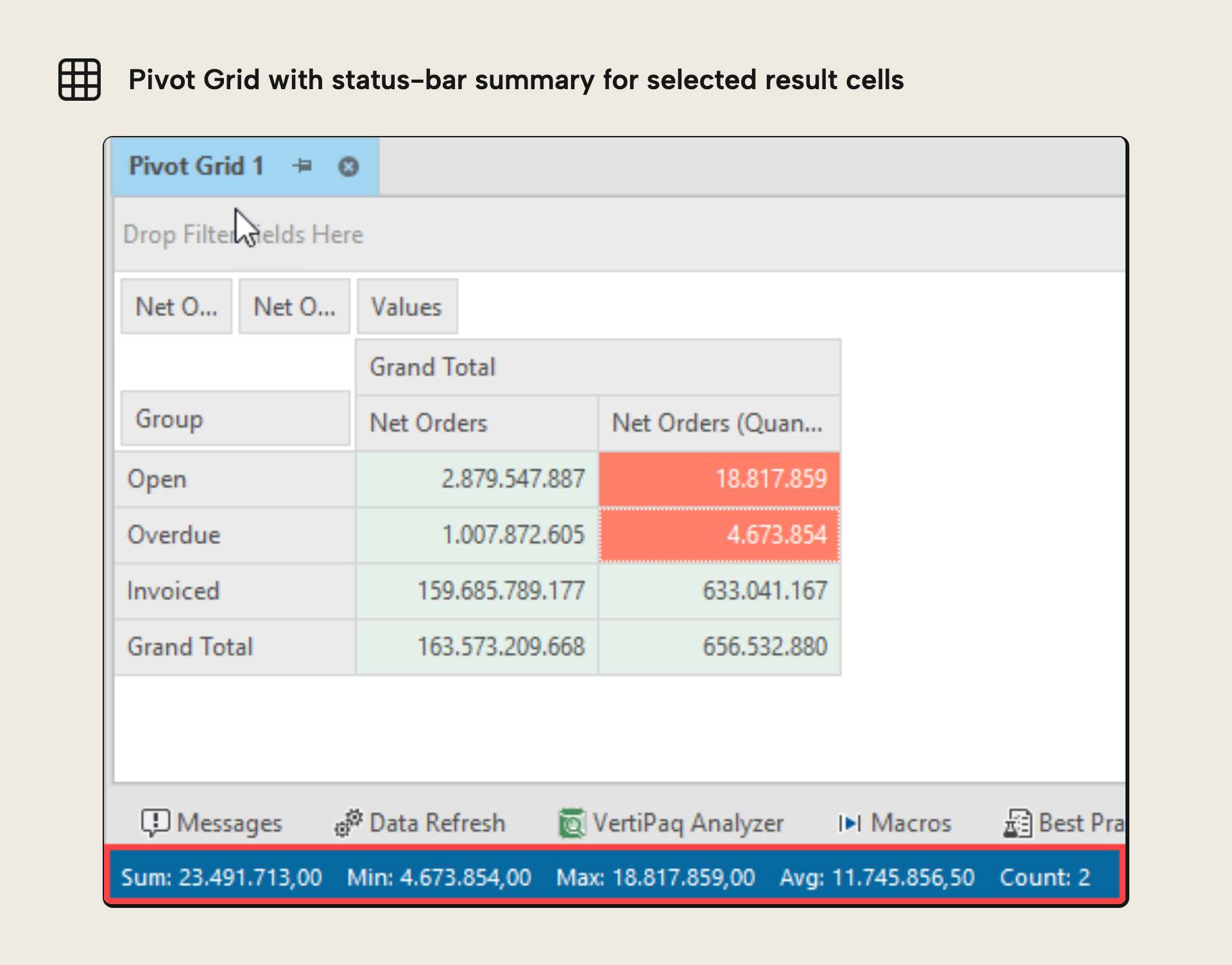
- DAX query and Pivot Grid grids get a quick summary: Select multiple cells and the status bar shows sum, min, max, average, and so on.
- Optional
model.bimbackups on save or deploy: Turn on zipped backups for every deployment, every save, or both (TE3 Enterprise only). - TMDL library update, plus the usual polish: Updated AMO/TOM libraries, friendlier Pivot Grid and Diagram interactions, and a tidier preferences dialog.
This summary is produced by the author, and not by AI.
Introduction
We are happy to share with you the July 2023 version (3.9.0).
Even though it’s midsummer and everyone at Tabular Editor gets to take some time off with family and friends, we have still been hard at work to produce a new version to keep you as productive as possible. We hope you’ll like it.
If you can’t wait, head on over to downloads to get the release.
New features
This release widens cloud coverage, beginning with sovereign and government clouds.
Support for Azure Government Cloud and sovereign Clouds
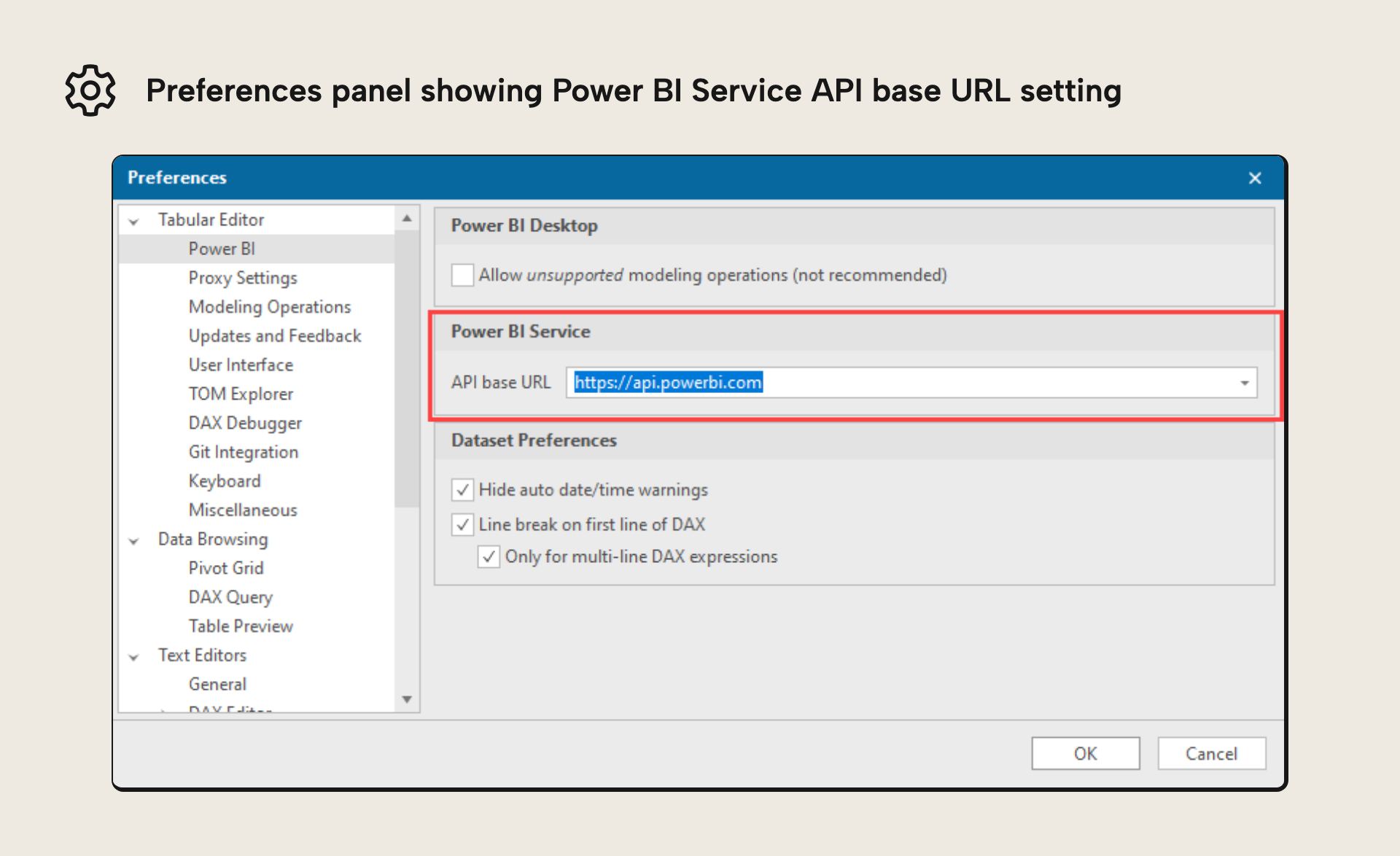
Customers on one of the Azure for Government and sovereign clouds (Germany & China) can now specify the base URL that Tabular Editor 3 should use when connecting to the Power BI REST API.
An example is when you would import tables from a Power BI Dataflow by using the Tabular Editor table wizard. This setting is specified under Tools > Preferences > Power BI > Power BI Service.
Pivot Grid / DAX Query quick summary
When selecting more than one cell in a DAX query result or a Pivot Grid, we now show a summary of the values selected in the application status bar (sum, minimum, maximum, average, etc.). Hold down Shift/Ctrl to select ranges the way you’d usually do. Shift+click on a column header will select all cells in that column. See #475.
Improvements
A few smaller improvements round things out, starting with refreshed client libraries.
Updated to use latest version of TOM/AMO/AdomdClient
We have updated the mentioned libraries from Microsoft that we use for connecting to Analysis Services and Power BI.
This should bring along a nice performance enhancement to the Pivot Grid component, when browsing your data.
Save model backup upon deployment and/or saving
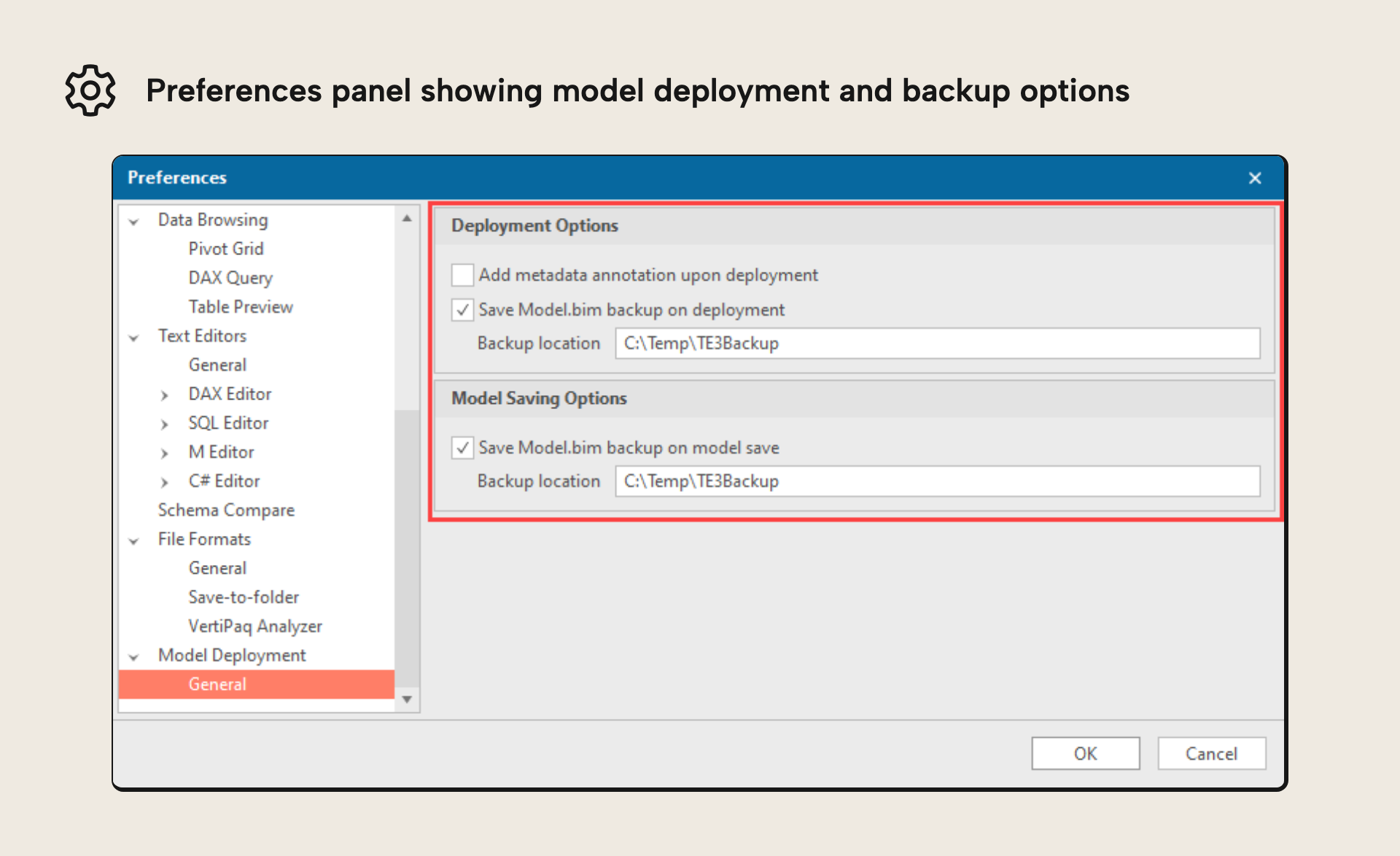
We’ve added a separate option for saving zipped model.bim backups under Tools > Preferences > Model Deployment. You can now choose to have backups saved upon every deployment, upon every save (while connected to an instance of Analysis Services/Power BI), or both.
This also fixed issue #796.
NOTE
This feature isn't available for Tabular Editor 3 Desktop Edition
Improved usability for Pivot Grids and Diagrams
It is now possible to add objects to Pivot Grids or Diagrams, even when those documents do not have focus (assuming no more than one such document is open).
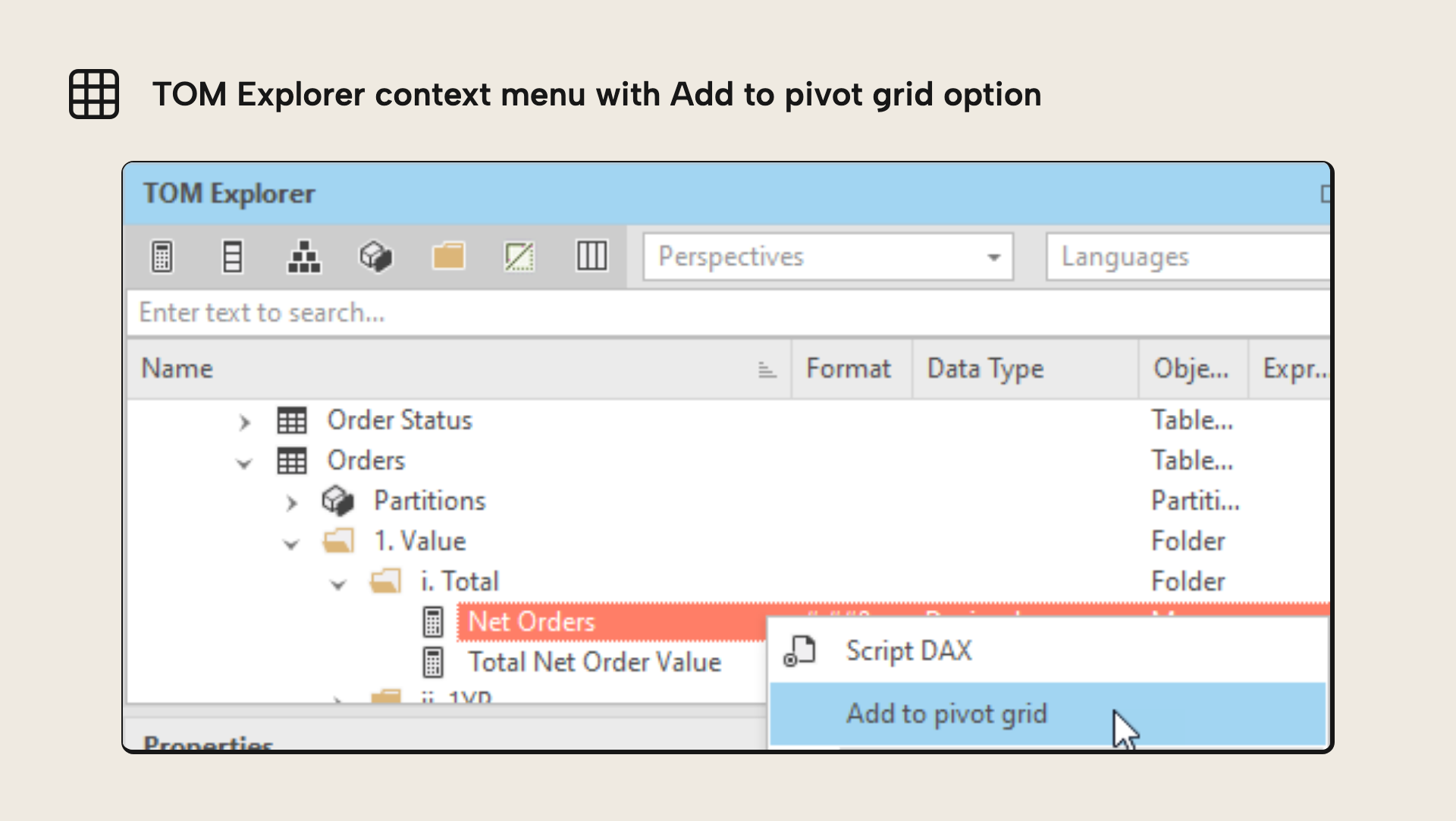
Moreover, you can now create a Pivot Grid by right-clicking on a measure, saving a few clicks, when you just need to test the value of a measure.
NOTE
There is a known issue with the Pivot Grid component if you are trying to use hidden measures. The current workaround is to show any hidden measures you want to use in the Pivot Grid. You can hide them again when you are done.
Updates to Tabular Model Definition Language (TMDL)
We have updated to the latest TMDL library available for this release.
For more info about TMDL visit our May 2023 release blog.
NOTE
Make sure to keep a Model.bim / Database.json backup of your model metadata to avoid losing work.
Several minor improvements
- We’ve rearranged some of the pages and sections of the preferences dialog, making it easier to navigate.
- When a calculated table is left with a blank expression, we now show the error icon immediately in the TOM Explorer.
- VertiPaq Analyzer has been updated to version 1.2.18, and we’ve included additional info columns, to bring it up to par with DAX Studio.
- When a calculated table is left with a blank expression, we now show the error icon immediately in the TOM Explorer.
- We now show an error message if attempting to assign an expression that produces a value of type
Variantto a calculated column (this isn't allowed).
Bug fixes
We have made multiple bug fixes and minor improvements in 3.9.0; please see our release notes for full details.
If you have any feedback or experience any bugs please reach out in our community forum. We look forward to hearing from you!
For further reading
- Five ways that the TMDL view can help you be more productive in Power BI (Tabular Editor). Covers practical uses of the TMDL view in day-to-day modelling.
- Tabular Editor 3.9.0 release notes (Tabular Editor). The full 3.9.0 change log, covering every fix beyond the highlights here.
- Tabular Model Definition Language (TMDL) (Microsoft Learn). Microsoft's reference for the TMDL syntax and folder layout.
In conclusion
That's the July 2023 release: sovereign cloud support, a handy cell-summary in the grids, optional model backups, and an updated TMDL library, alongside the usual round of fixes. Grab 3.9.0, enjoy the rest of the summer, and let us know what you think.
Try July release improvements in the current Tabular Editor 3 workflow.
Download the latest version