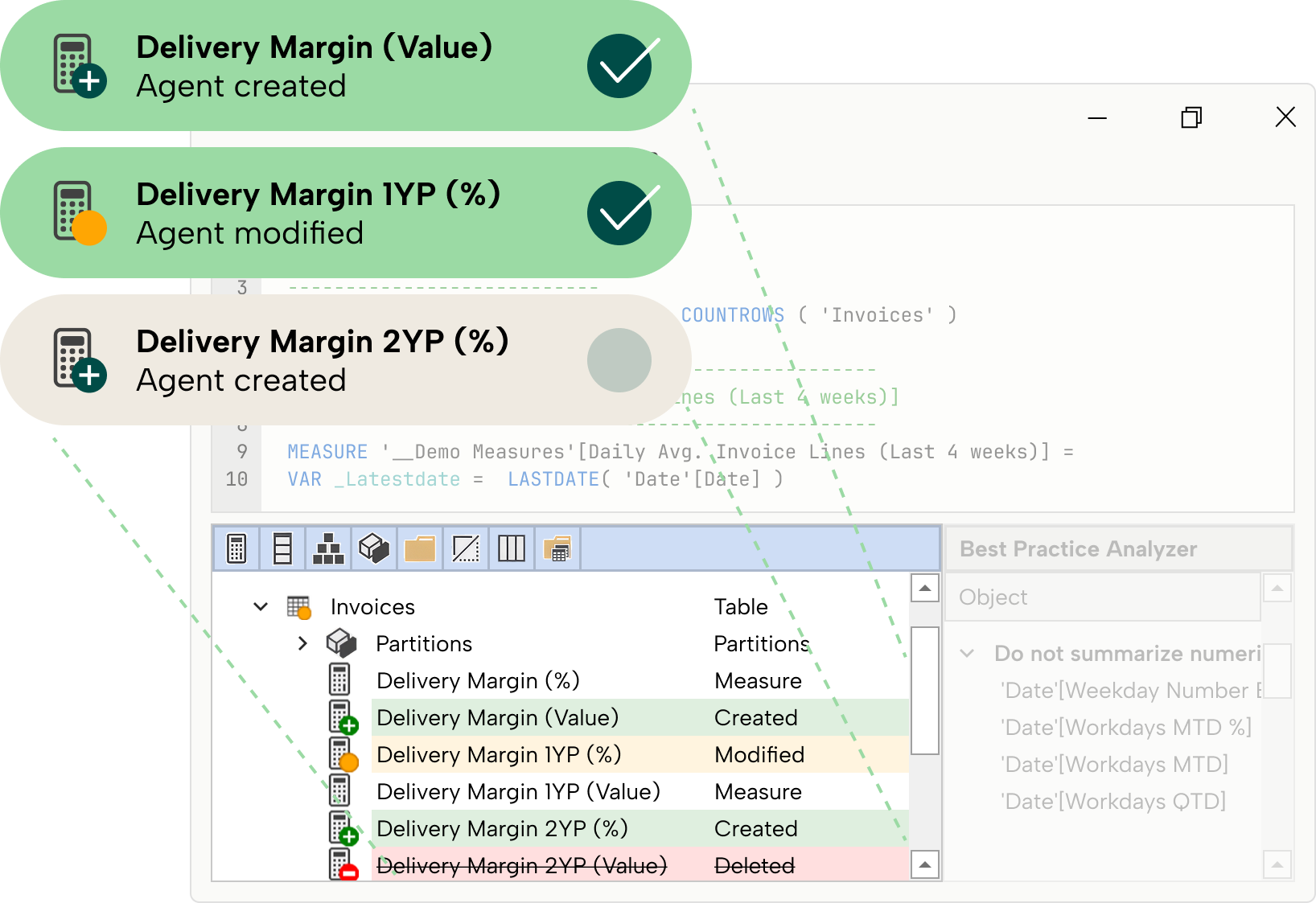



Connect your AI directly to your open model, with permissions, visible changes, and one-step undo.
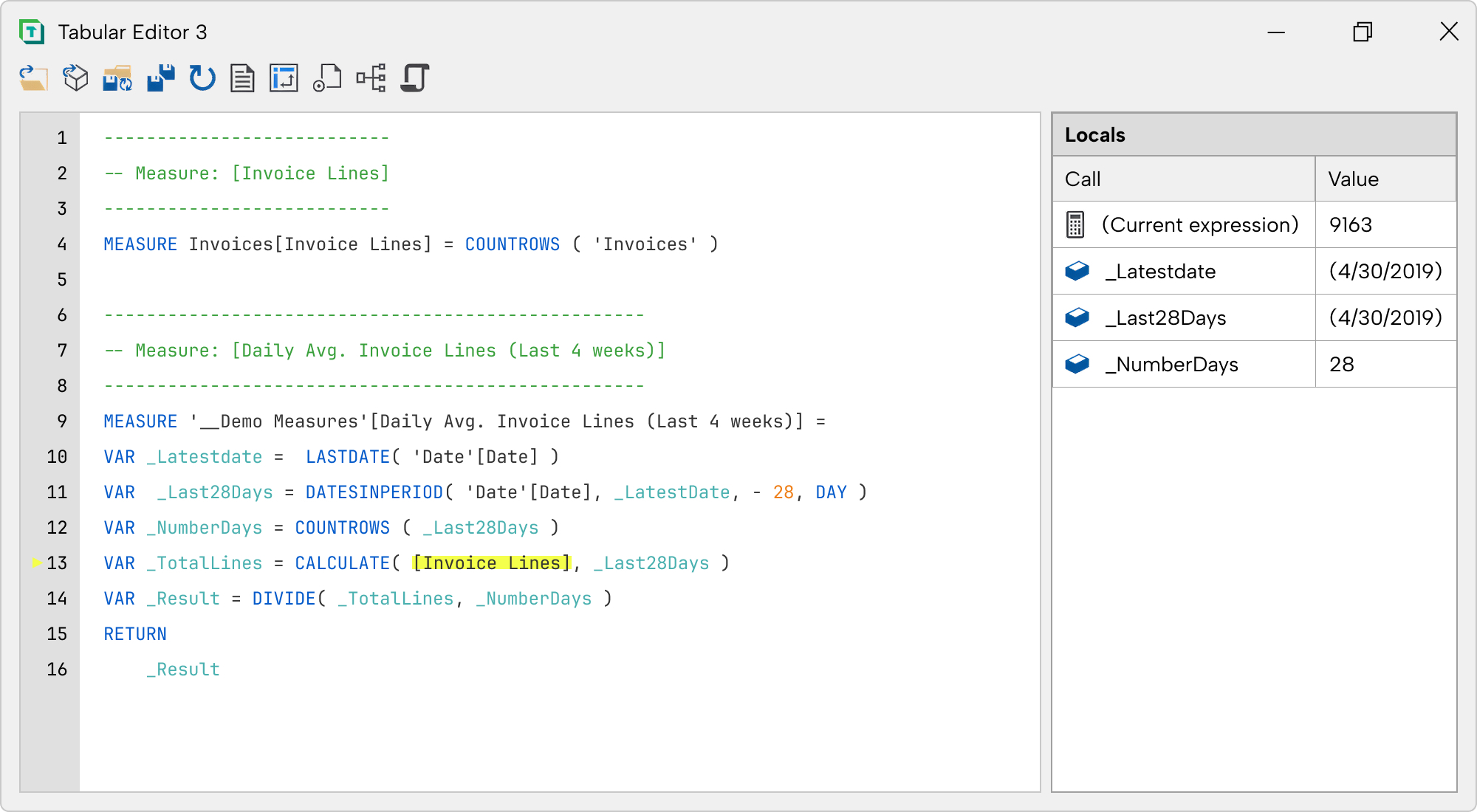
Step through any measure, including AI-written ones, and see precisely what’s happening.
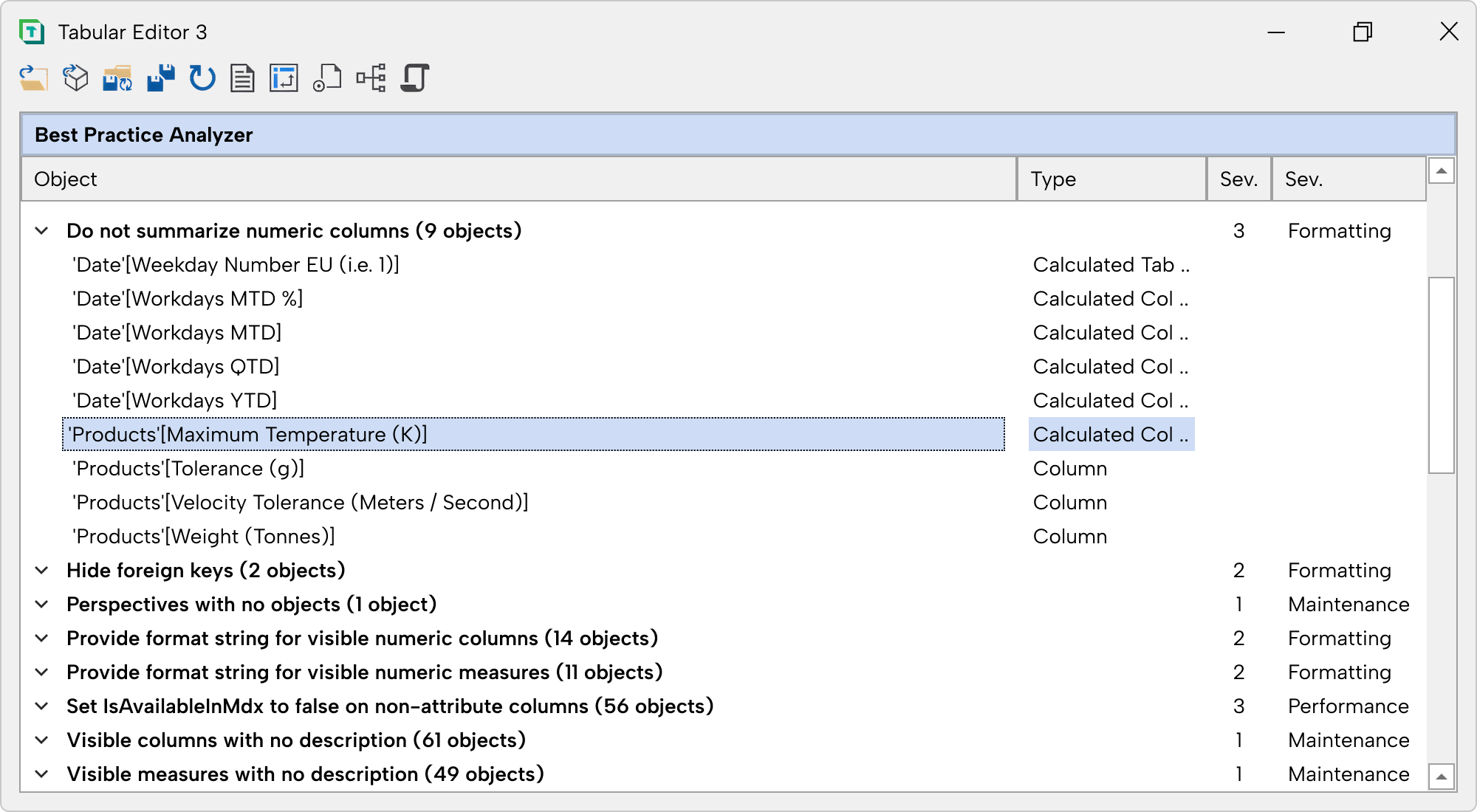
Define your own rules and let Tabular Editor scan continuously. Catch issues before they cause problems.

Try our ROI calculator to see how much you can save.
Tabular Editor 3 is a Windows Desktop application used for development and management of Power BI and Analysis Services Tabular data models. It is the commercial evolution of the open-source Tabular Editor 2.x.
Tabular Editor 3 is compatible with all versions of Analysis Services that support the Tabular model, including Azure Analysis Services, SQL Server Analysis Services 2016 and later, Power BI Premium and Fabric. Tabular Editor 3 is not compatible with Power Pivot for Excel.
Yes! Tabular Editor 3 supports C# scripting using the Tabular Object Model (TOM). You can also use the Command Line Interface (CLI) to automate tasks using scripts.
Yes, Tabular Editor provides several performance optimization tools, such as the Best Practice Analyzer and the VertiPaq Analyzer. These tools analyze your data model and provide recommendations for improving its performance and efficiency.
Other that basic information for billing purposes, we do not collect any personal information from our users. We do not store any credit card information on our servers. All credit card transactions are processed by our payment provider, Stripe, which is certified to PCI Service Provider Level 1, the most stringent level of certification available in the payments industry. Please see our security overview for additional information.
Tabular Editor 3 is commercially licensed on a subscription basis with either monthly or yearly commitment. It is offered in three different editions that are similar feature-wise, but differ depending on the type of Power BI or Analysis Services installation you intend to use it with. All prices are per user. More details here.
Tabular Editor 3 is the culmination of many years of development and investment based on our learnings, community feedback and experience with Tabular Editor 2. By offering Tabular Editor 3 as a commercial product, we are able to innovate and deliver amazing new features at a rapid pace, offer training material, documentation, guidance and 24/7 support.
Yes! Simply download the tool, install it and choose the “Request a 30 day trial” option upon launch. No credit card information needed – only your e-mail address, for verification purposes (we won’t ever spam you!). The trial is a fully functional version of Tabular Editor 3 (corresponding to the Enterprise Edition).
The free and open-source Tabular Editor 2 is not going anywhere. We are committed to keeping it up to date, providing bugfixes and community support. Tabular Editor 2 lets you access and edit all the same data model objects and properties as Tabular Editor 3. Moreover, Tabular Editor 2 is fully compatible with the folder-based file format available in Tabular Editor 3, so the tools can be used interchangeably. But if you stick with Tabular Editor 2, you are going to miss out on premium features such as our new DAX editor, our hi-dpi, multi-monitor, fully customizable UI and our DAX debugger.
You can find a comprehensive overview of all the features included in each plan here. This will give you a better idea of what each plan entails and help you make an informed decision about which one is best for you.
Sure. Get your quote here or contact sales.
Enterprise Edition purchases for 6 or more users are eligible for volume discounts. See here for more details.
Yes. Multi-year commitments are available. Contact Sales for a quote.
Sure thing! We work with multiple resellers globally to make it more convenient for you to purchase Tabular Editor.
Absolutely! You can make changes to your plan or increase the number of users for your existing Tabular Editor 3 subscription by signing into our Self-Service portal. Simply head to the subscription tab and follow the steps to upgrade your plan or add more users. It's that easy!
We allow payment by bank/wire transfer for purchases of annually paid subscriptions including at least 1 enterprise license, 2 business licenses, or 5 desktop licenses. If you choose this option during checkout, you will receive an invoice with payment instructions (payment term NET 15 days). You can also attach or update a credit card to your subscription at any time on our Self-Service portal
Yes, you can! To make this change, all you need to do is contact our sales team. Whether you want to switch from monthly to annual terms or vice versa, our team will help you make the necessary changes.
By default, your Tabular Editor subscription will automatically renew unless you take action to change this. You can adjust your subscription settings via our Self-Service portal or contact our sales team to opt out of automatic renewal. This way, you can have complete control over your subscription and choose whether to continue using Tabular Editor.
Yes. We support vendor onboarding, compliance documentation, and procurement requirements.
If you wish to cancel your Tabular Editor subscription, just sign into our Self-Service portal and follow the steps to cancel your subscription. Please make sure to submit your cancellation request at least 1 day prior to the end of your license term.
Sure. Get your quote here or contact sales.
Activating your license is in most cases done completely automatically when you open the product for the first time. If you have issues (such as a firewall blocking the activation process), you can also activate your license manually. See here for more details.
For Tabular Editor 3 Desktop and Business editions, each user receives their own non-transferable license key. Enterprise edition customers receive a single license key per subscription, which can be shared by multiple named users up to the quantity (“seats”) purchased. You can reassign users of your Enterprise Edition license key through our self-service portal (each seat can be reassigned at most once every 30 days).
Yes! By default, we allow two installations per user with the Desktop and Business editions of Tabular Editor 3, and three installations per user with the Enterprise edition. You can remove installations you no longer need at any time through our self-service portal (sign in and navigate to the “Licenses” tab to view your installations). We are happy to increase your installation limit upon request.
You will receive a 25-character license key upon purchase of a Tabular Editor 3 subscription. This key is entered upon first launch of Tabular Editor 3 in order to activate the product. If multiple users share the same machine, Tabular Editor 3 must be activated on each Windows user profile. License keys are not tied to any account, so you are free to install and activate Tabular Editor 3 on multiple machines and even across different domains/tenants. Please note that multiple users are not allowed to share the same Desktop or Business edition license key. Enterprise edition license keys can be shared by a number of named users up to the quantity purchased.
Managing your Tabular Editor license is simple! Just sign into our Self-Service portal, where you'll have access to all the information about your license(s) and can manage your installations. Our portal allows you to easily keep track of your license status, upgrade your plan, manage your subscriptions among other things. Want to see how it works? Take a quick walkthrough.
Depending on the edition you choose, there are different support options available for Tabular Editor 3 users. Our Desktop, Business, and Consultancy editions comes with community support, where you can interact with other users and share knowledge. If you opt for our Enterprise Edition, we provide dedicated support to help you resolve any issues you encounter.
Tabular Editor 3 has a community on GitHub where users can find solutions to issues and bugs, as well as ask questions and receive support. By contributing here, users can become active members of the community and help improve the software for everyone.
Tabular Editor Learn, our free learning platform, offers an interactive and engaging way to dive into all the amazing features of Tabular Editor 3, ensuring you learn how to build better data models, faster!
Other than basic information for billing purposes, we do not collect any personal information from our users. We do not store any credit card information on our servers. All credit card transactions are processed by our payment provider, Stripe, which is certified to PCI Service Provider Level 1, the most stringent level of certification available in the payments industry. Please see our security overview for additional information.
Yes, we collect telemetry data about the usage of Tabular Editor 3. This data is used to improve the product, and is not shared with any third parties. You can opt out of telemetry collection by following the instructions here.